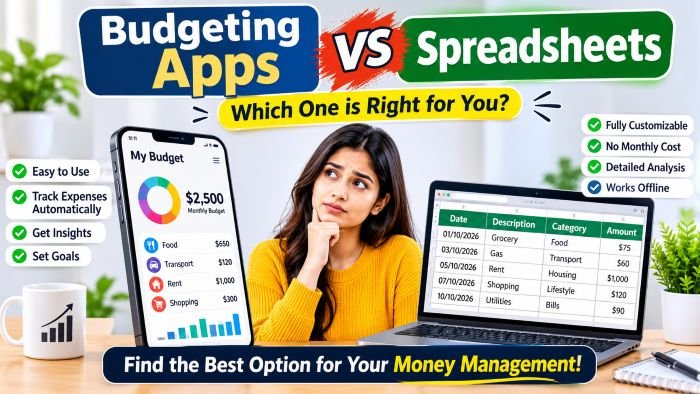
The best budget is the one you actually keep using. For some people that’s a polished app that tracks spending automatically. For others, it’s a simple spreadsheet they control completely. Here’s how the two compare, so you can choose what fits your habits.
How budgeting apps work
Budgeting apps usually connect to your bank accounts or read transaction messages, then sort spending into categories automatically. Many show charts, send alerts when you overspend and track goals.
Pros
- Automatic tracking saves time
- Real-time alerts and visual reports
- Easy to use on the go
Cons
- Requires sharing financial data with a third party
- Auto-categorisation is often imperfect
- Some features sit behind subscriptions
- Easy to look at charts without changing behaviour
How spreadsheets work
With a spreadsheet, you enter or import transactions and build your own categories, totals and charts. Free tools like Google Sheets or Excel are enough.
Pros
- Full control and flexibility
- No subscription fees
- Your data stays with you
- Manual entry makes you more aware of each expense
Cons
- Takes regular time and discipline
- Easy to fall behind
- Requires basic spreadsheet skills
Side-by-side comparison
| Factor | Budgeting app | Spreadsheet |
|---|---|---|
| Setup time | Quick | Moderate |
| Ongoing effort | Low | Medium to high |
| Cost | Free to paid | Usually free |
| Customisation | Limited to app features | Unlimited |
| Privacy | Depends on the provider | Under your control |
| Spending awareness | Can feel passive | Very high |
Which should you choose?
Choose an app if: you’re busy, have many small transactions, and want quick insights without manual work.
Choose a spreadsheet if: you like control, want to customise categories and goals, or prefer not to link bank accounts to third-party services.
Try a hybrid: many people use their bank’s built-in spending summary for tracking and a simple monthly spreadsheet to review totals and plan.
A simple spreadsheet setup
- Create columns: Date, Description, Category, Amount, Payment method.
- Set 8–10 categories: rent, groceries, transport, utilities, dining out, shopping, subscriptions, savings, other.
- Add a summary tab with total spending per category each month.
- Compare with a target for each category.
- Review for 15 minutes once a week.
Safety tips for budgeting apps
- Download only from official app stores and check the developer.
- Read what data the app collects and who it shares it with.
- Use strong passwords and two-factor authentication.
- Never share banking PINs or one-time passwords with any app or caller.
The tool doesn’t fix the habit
No app or spreadsheet saves money by itself. The value comes from noticing patterns and acting on them: cutting unused subscriptions, reducing impulse purchases and saving before spending. It’s also worth understanding the difference between saving and spending less, because discounts can feel like savings even when they increase spending.
Frequently asked questions
Are free budgeting apps safe?
Many are, but check their privacy policy and permissions carefully. Free apps may earn money from ads or data.
How often should I update my budget?
Weekly updates keep it manageable. Monthly reviews help you plan the next month.
Is pen and paper still a good option?
Yes. For some people, writing expenses by hand builds the strongest awareness.
Final thoughts
Apps win on convenience; spreadsheets win on control and awareness. Pick the one you’ll stick with for at least three months, review it regularly and adjust your spending based on what you learn.